
Mashy for Lemur is a 4 deck layout for Traktor v2.6.2, 3, 4 and above. It gives you control over almost all of Traktor’s most important features. You get instant access to beatmashing, looping and effects as well as simple, intuitive control over loop recording and Remix Decks.
“…the best [Traktor] template currently available”
WINSTON RAY, DJ TECH TOOLS
Features
- Easily switch between Standard Decks and Remix Decks.
- Large pads for easy hotcue juggling.
- Hotcue, Beatmash, Beatslice and Looping modes.
- Instant control over FX for all 4 Decks.
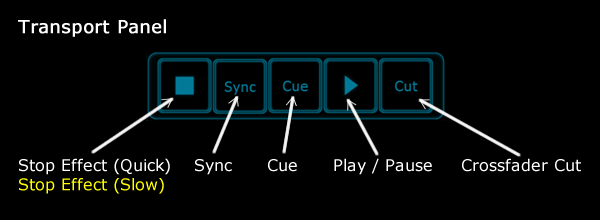
- Fader ‘Cut’ button for quick cuts.
- Special ‘Prepare’ page for easy track cueing / marking.
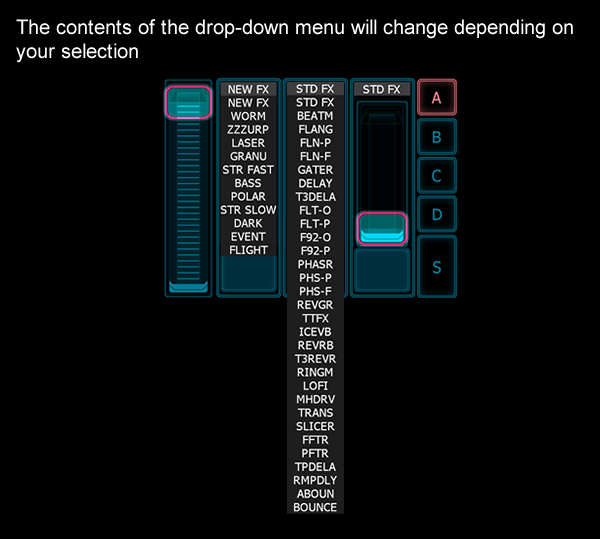
- Select FX from drop-down menus.
- Shift key provides dual functions for many controls.
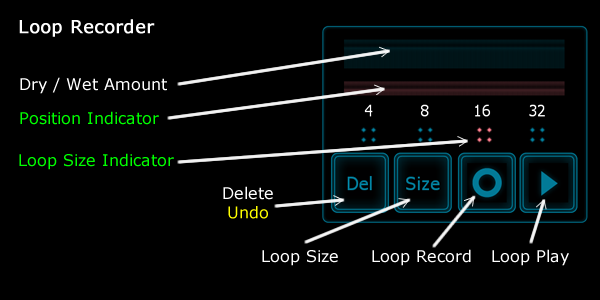
- Full Loop Recorder control.
Setup
IMPORTANT – Ensure you have installed all the programs listed in System Requirements and that you’re using the latest versions.
The unzipped download contains two files: the layout for Lemur and the .tsi mapping for Traktor.
- Connect Lemur to your computer using Lemur Daemon and load the Mashy layout. Instructions here.
IMPORTANT – You must connect through WiFi MIDI or USB MIDI on Daemon Channel 0. - Open Traktor then open Preferences. Click the large ‘Import’ button at the bottom of the screen and browse to the downloaded .TSI file.
IMPORTANT – Clicking ‘Import’ will overwrite any previous device mappings, so ensure you have these backed up before importing. Once imported, you can add your original device mappings again manually by going to Preferences > Controller Manager. Click the ‘Add’ button, then select ‘Import TSI’, then ‘Import Other’ and browse for your mapping (.tsi) file. - You’ll see a popup window. Ensure everything is left ticked. The effects will not work properly otherwise.
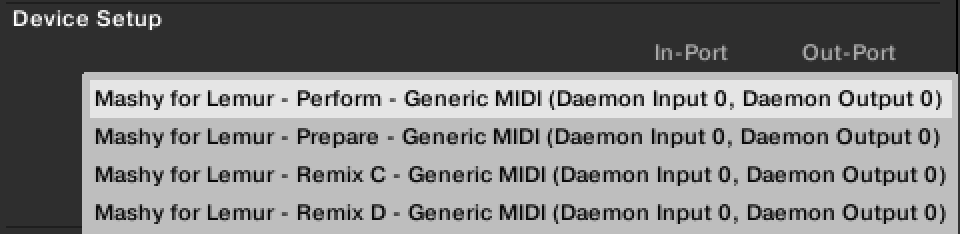
- Open Preferences > Controller Manager. In the ‘Devices’ drop-down menu, you should see four pages. Ensure that for each of these the In-Port is set to Daemon Input 0 and the Out-Port is set to Daemon Output 0 (see ‘Device Setup’ image below).
- The template will open in Lemur on the Prepare page. Press the ‘Perform’ button to load the effects for the Performance Panel and Stop effect. You should see the effects, BEATM, SLICER and TTFX loaded into FX Units 3 & 4. It’s important that these specific effects are loaded for the Performance Panel functions and the Stop effect to work. If you don’t see these effects loaded, just import the template again and everything should work OK.
Manual
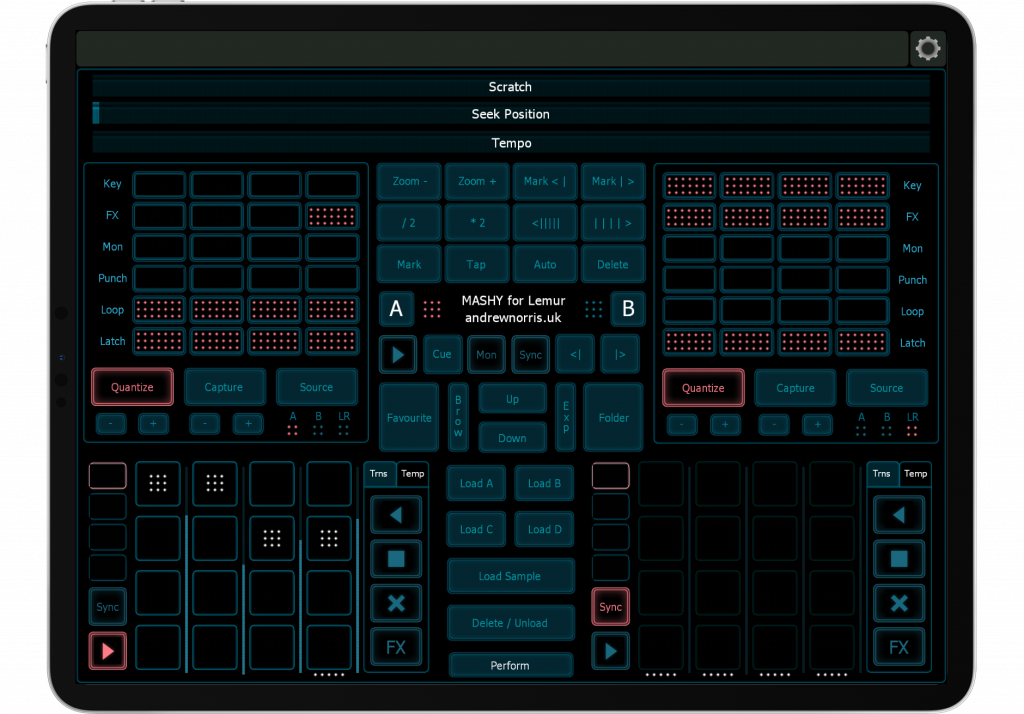
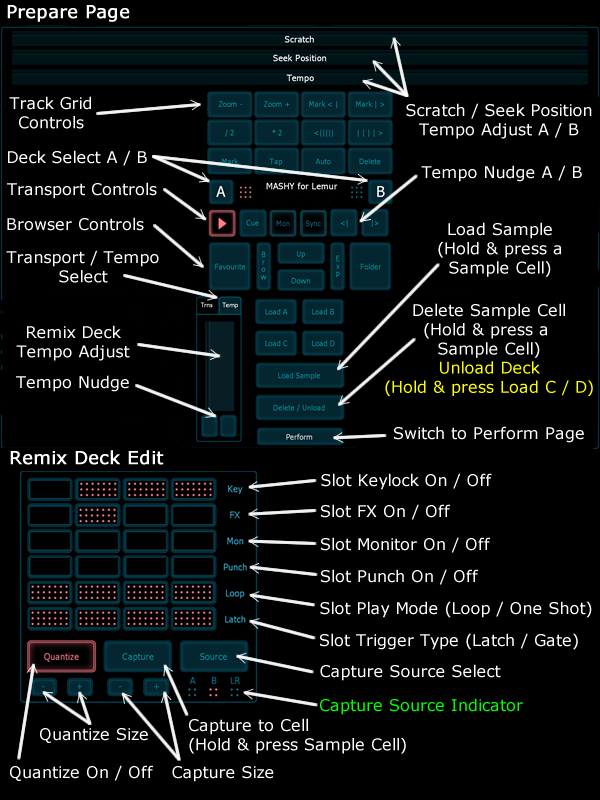
Mashy allows you to switch easily from two main modes: Perform and Prepare. Perform gives you access to the main controls of two Standard Decks and two Remix Decks. Prepare lets you edit the grid, load / import tracks, and adjust the Remix Decks’ Sample Cell settings. You can switch between Standard and Remix Decks in Perform Mode by using the tabs just above the deck controls.
Perform Mode:

Prepare Mode:
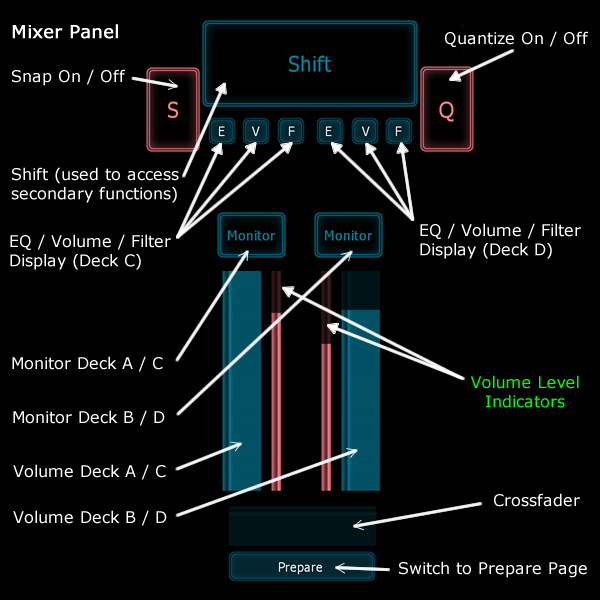
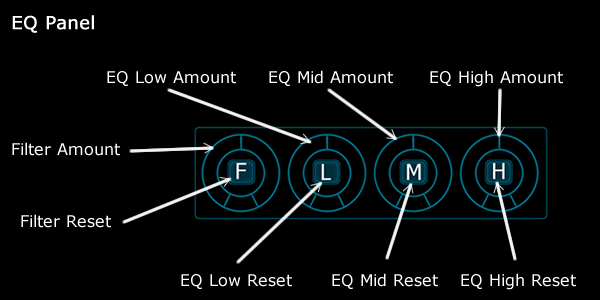
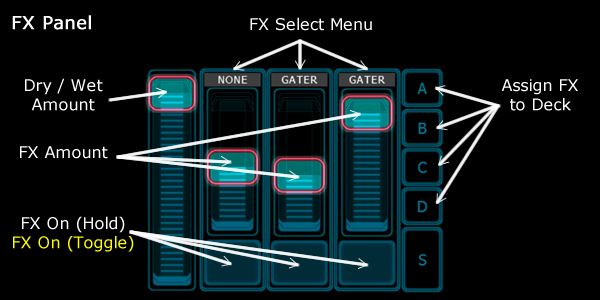
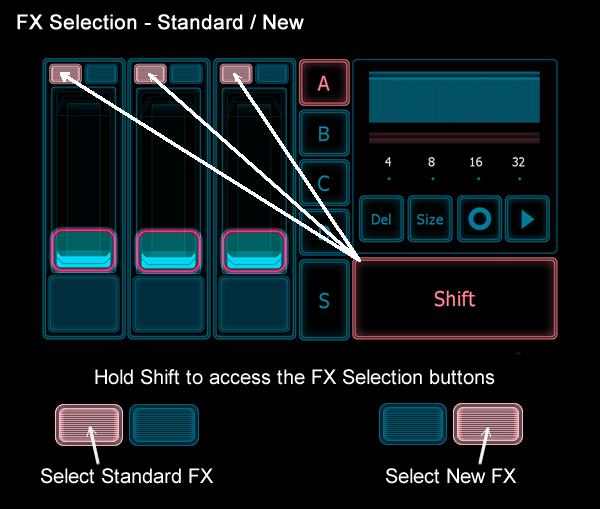
Controls in more detail:
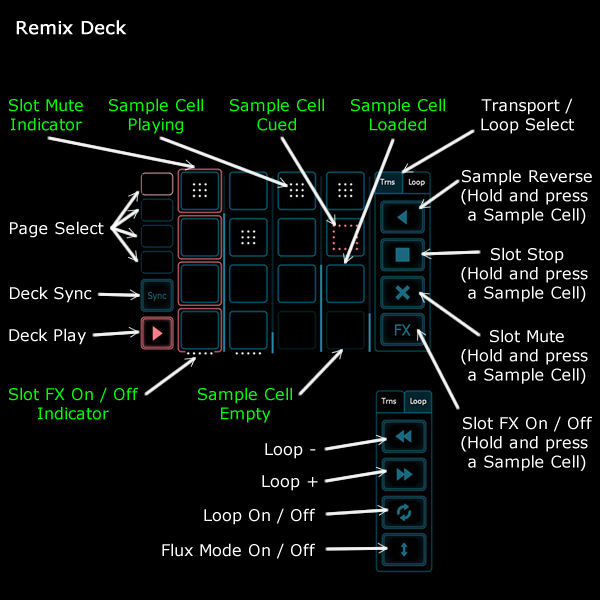
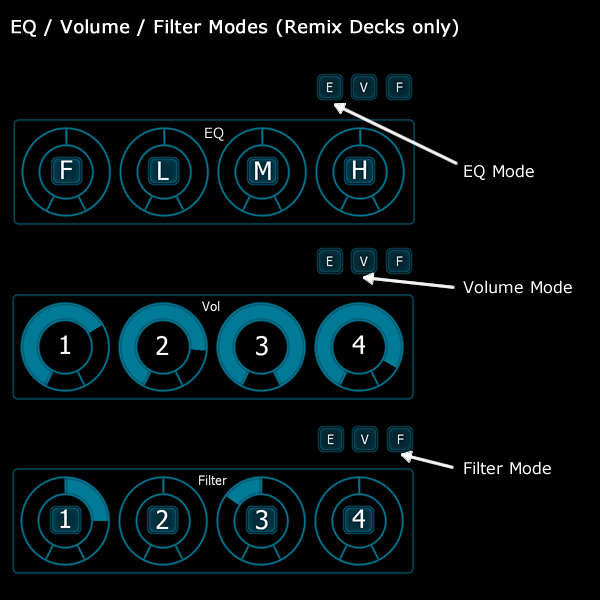
NOTE: Anything written in Yellow means that the Shift button needs to be held down to access this feature. Anything written in green is just for information (and not a control).

System Requirements
- Lemur (now discontinued) running on an iOS / Android device (10″+ screen recommended)
- TTraktor Pro 3 / 4 (or any older version from 2.6+) for Mac/PC.
- Lemur Daemon (now discontinued) for Mac/PC and a connection from your iOS device to your computer (USB recommended).
Version History
v1.3
- Full control of Remix Decks: load, capture, trigger & delete samples across all 64 Cells
- Added Flux Mode buttons for all Decks
- Major update to Prepare page for track and Remix Decks editing
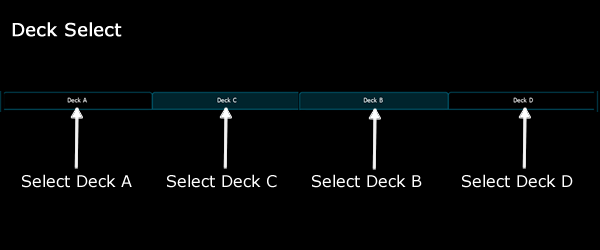
- Switch between Decks A & C and B & D independently
- Minor GUI fixes / changes
v1.2
- There was a problem loading the template in Lemur Editor v4 on Windows. It would cause the Editor to crash. This has now been fixed.
v1.1
- Mashy has been updated to include selection of the new Macro effects in Traktor 2.6.